










Multifamily Access Control Integration: A 7-Step Guide for Integrators
A multifamily property is never one system. There’s video in the garage, wireless locks on the unit doors, an intercom in the lobby, elevators with floor restrictions and a building management system running the HVAC. When each one runs on its own, your techs juggle separate logins, separate vendors and separate support calls, and the property team enters the same resident in three places at every move-in.
Integration fixes that, but only when it’s planned properly. This guide walks through seven steps for connecting access control, intrusion detection and building automation to the third-party systems multifamily properties rely on, using the Protege GX platform.
Who this guide is for
- Integrators: Setup, compatibility and what to plan for before your techs are on site.
- Specifiers: Component choices and design considerations for systems built to adapt.
- Property managers: What integration changes day to day, from move-ins to monitoring.
Why integration matters in multifamily
Disconnected systems don’t just frustrate property managers. They cost you. Every separate system is another thing to train staff on, another place for resident data to fall out of sync and another vendor to call when something breaks. If a door won’t release because the lock database and the access database disagree, you own the problem no matter whose system caused it. That means more truck rolls, more time on the phone and less profit on the job.
Property teams feel it too. Constant turnover means credentials change every week, and on-site staff are stretched thin. They need one place to add a resident, one place to remove them and one view of what’s happening across the property.
8 benefits of integrated access control for multifamily
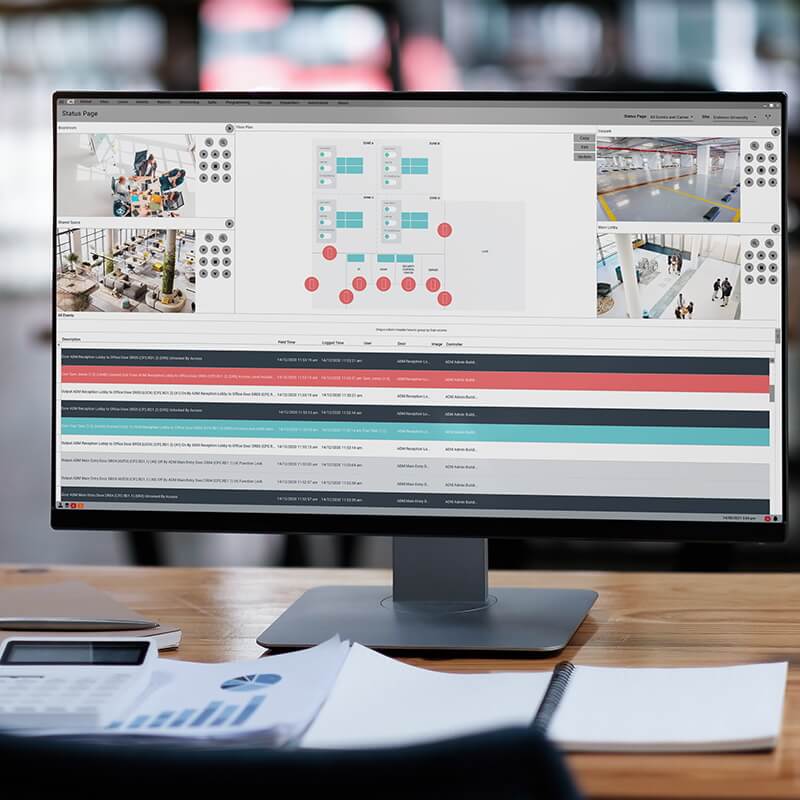
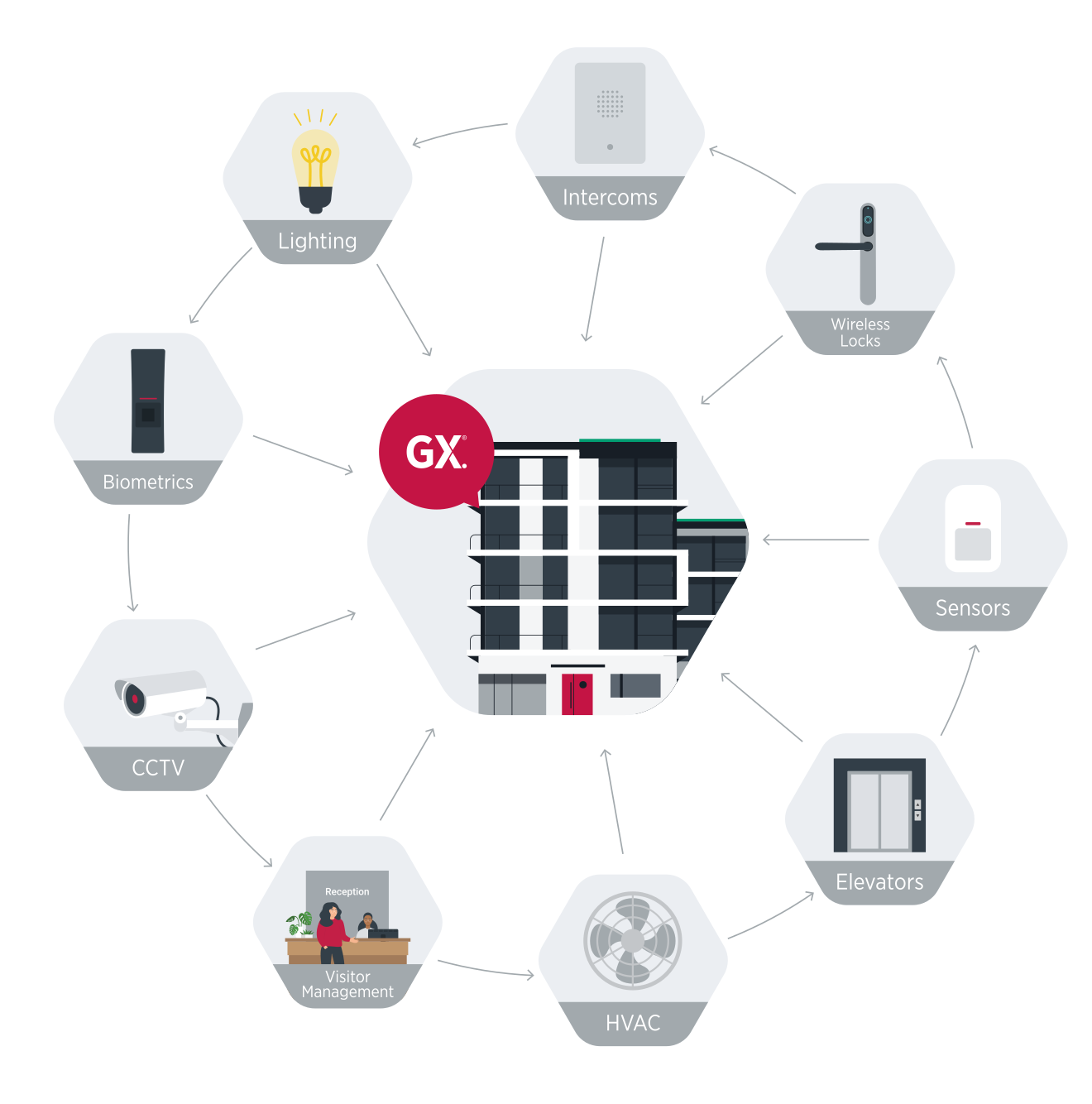
- Centralized management and monitoring: Oversee access, intrusion, video and elevators from one interface. For example, video surveillance and KONE elevators can sit in the same Protege GX dashboard as your doors.
- Automated onboarding and offboarding: Residents, staff and contractors get the right access at move-in and lose it at move-out, with far less manual data entry.
- Lower operating costs: Fewer systems to maintain and fewer manual security processes. Replacing disconnected systems can deliver a strong return on the investment.
- Mobile management: Property managers can check activity and respond to alerts from their phone, not just the front desk.
- Situational awareness: One dashboard shows real-time activity across the property, so staff can make decisions faster.
- Automated responses: Protege GX can lock a door, turn on lights or alert staff automatically when a specific event occurs.
- Identity synchronization: Credentials stay current across every integrated system, including your Property Management System (PMS), from one database.
- Consistent records: Every system works from the same resident and access data, so nobody is reconciling spreadsheets at month-end.
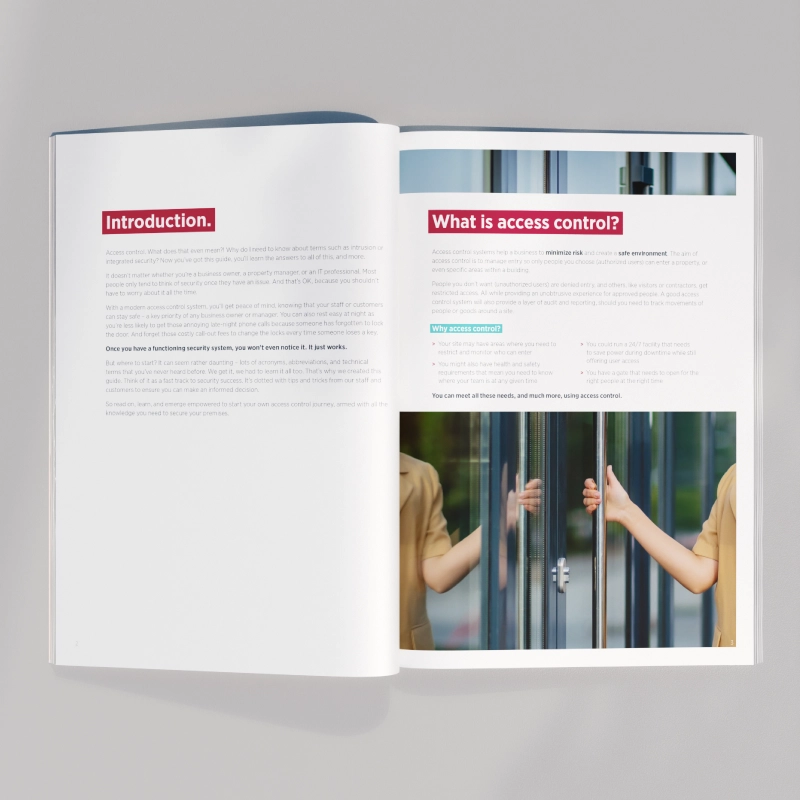
Download the Multifamily solution guide
DownloadHow Protege GX approaches integration
Integration only helps if it holds up on a busy day and when the network doesn’t. Protege GX is built around four principles:
- Open platform: 50+ integrations with established technology partners, so you design the system the property needs rather than the one a single vendor sells.
- Unified hardware and software: ICT manufactures the controllers, readers and platform software as one system, so there are fewer moving parts between the door and the dashboard.
- Controller-first design: Logic lives on the controller on site. If the internet drops, the door still locks and residents still get in.
- PMS integration: Resident data flows from the Property Management System into access control, so staff enter each resident once.
The seven steps below follow how experienced ICT integrators approach a multifamily deployment.
Step 1: Assess property requirements
- Count units, entrances, elevators and shared areas, including package rooms, garages and amenities.
- Identify user groups: residents, staff, contractors, couriers and visitors.
- Set security priorities, such as restricting floor access in high-rise towers or limiting amenity hours.
- Note what’s already installed. Existing wireless locks or cameras may integrate rather than need replacing.
Step 2: Map the integration architecture
- Network design: LAN, VLANs and PoE switches
- Communication protocols: TCP/IP, Modbus, BACnet and C-Bus
- Data flow: For example, VMS alert to access log to resident notification
Step 3: Choose your third-party systems
- Video surveillance: Links cameras, live feeds, motion detection and alerts to access events. Integration partners: Milestone, Wisenet WAVE, Avigilon.
- Elevator control: Restricts floor access by credential and keeps people moving between floors. Integration partners: Otis, KONE, Schindler.
- Wireless locks: Brings access schedules, temporary credentials, group permissions and mobile credentials to unit doors. Integration partners: Salto, Allegion, Salto Sallis.
- Sensors and detectors: Sends intrusion, motion and door and window status to the central system or to mobile notifications. Integration partners: Inovonics, Optex.
- Intercoms: Routes visitor calls to residents through SIP accounts. Integration partners: Commend, SIP-enabled intercoms.
- Building management: Connects HVAC, lighting and alarms. Integration partners: Modbus, BACnet, C-Bus.
See the full list of ICT integrations.
Planning the rollout
Step 4: Check requirements and prerequisites
- Hardware: Locks, readers, cameras, sensors and intercoms
- Software: Current versions of Protege GX and every third-party platform
- Network: Reliable LAN/WAN with PoE for devices, and secure Wi-Fi for mobile credentials
- Compliance: Local fire, egress and accessibility codes for multifamily buildings. Confirm the product listings your region requires before specifying hardware.
Step 5: Test and validate
Before handover, run functional tests on locks, doors and elevators, check connectivity and confirm log integrity.
- Document every configuration and access hierarchy.
- Validate each integration point against the vendor’s API.
- Check network settings and cabling.
- Verify user permissions and credential validity.
- Review logs for error codes.
Step 6: Train staff and hand over
- Walk front desk and management staff through adding and removing residents, granting visitor access and responding to alarms.
- Set up the move-in process for mobile credentials and document it for staff.
- Agree who handles what, and leave your support contact where staff can find it.
Step 7: Monitor and maintain
- Schedule routine maintenance for hardware and software.
- Use access logs to track events and spot unusual activity.
- Keep firmware current on locks, readers, sensors and controllers.
Ongoing maintenance keeps the system reliable. It also gives you recurring service revenue and makes you the first call when the property is ready to expand.
See how Protege GX works across a full community on our multifamily solutions page.
A real-world multifamily integration: The MET Condos
- Integrator: The Citywide Group
- Location: Vaughan, Ontario, just outside Toronto
- Scale: 560+ apartments and townhomes
The challenge. The developer wanted more than basic access control and alarms. The system had to integrate with video management and expand as the community grew.
What Citywide installed:
- Protege GX, with floor plans that give the concierge a live view of the building
- ICT Entry Stations for visitor verification and entry control across a complex parking layout
- Mobile and Bluetooth credentials through the Protege Mobile App
- Video management integration for live and recorded review of events
“Citywide was able to demonstrate to the developer the countless value-adds that ICT brings as standard, over all other systems.”
Adam Perrin, CTO – Automation, The Citywide Group
At Abeja District, also in Vaughan, The Automated Group took the same approach across three 30-story towers, unifying access, elevator control and common areas for 2,000+ residents on one Protege GX platform.
For owners, the payoff is operational. Fewer systems to manage and a better resident experience can support occupancy and net operating income (NOI) over the life of the building.
Plan the integration before the first cable is pulled
Every multifamily project is different, but the principles hold: map the architecture early, choose partners that integrate properly and keep the property on one platform. Talk to your ICT Regional Sales Manager about your next multifamily project, or download the Multifamily solution guide.
