










Visitor Management
Most businesses have two main security concerns: keeping their people safe and protecting their assets. Yet with visitors coming and going on a daily basis, this can be a daunting task. Knowing when visitors are onsite, keeping track of where they are, who they are seeing, and when they leave, are all key security requirements. And you need to do all of this quickly and efficiently, without disrupting business operations or causing delays.
Often, visitors enter a 'secure' building and gain access by simply writing their name in a log book. While a paper based system may seem quick and economical, it provides little security and poses a range of other problems. Names can be hard to read, information may be omitted, and it often means visitor details are available for anyone to see, raising privacy and confidentiality issues. Protege GX enables you to register and track your visitors directly from the interface, effectively eliminating the need for a separate visitor management system.
How it works
Visitor sign in is designed to be quick and efficient, and most visitors can be processed in 20 seconds or less. Registration is performed on arrival using an onscreen keyboard and touchscreen, and a visitor label is printed with name, photo, and visit details. If enabled, the system automatically sends an email notifying the relevant staff member of the visitor's arrival.
Visitors are allocated access cards automatically upon signing in and assigned an access level based on who they are visiting. This allows you to set different access requirements based on the purpose of their visit. For example, a client visiting to attend a training seminar may have limited access compared to a contractor that is onsite to undertake building or electrical work.
Sign out is just as easy. Visitors simply badge their card at the exit reader or scan their label at the front desk and they are automatically signed out. Alternatively they can follow the options onscreen to checkout.

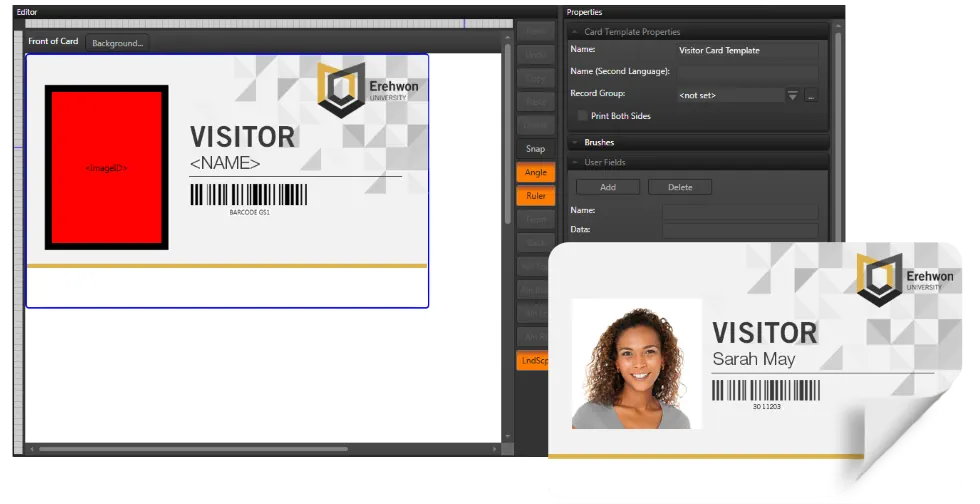
Don't be limited to a design we choose. Use your own company logo, add additional images, and select the colors used to ensure the display reflects your corporate brand and identity. Get the input you want from your visitors, by using custom fields to ask for specific information.
The Photo ID Card Template Editor (an optional licenced item) gives you complete control over the design of the visitor label.
Real Time Monitoring and Reporting
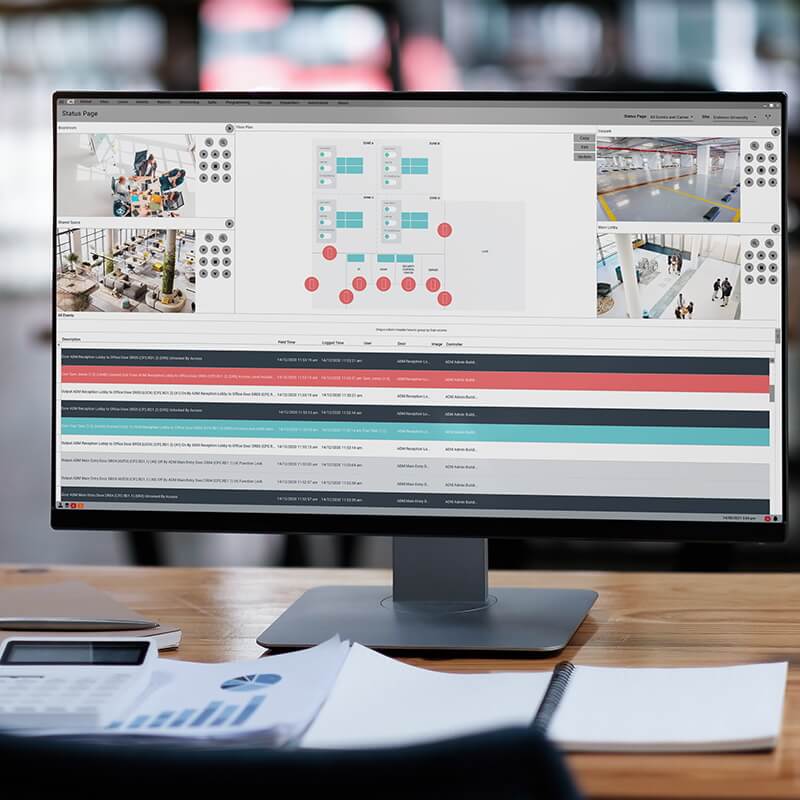
With all events logged in Protege, you have a complete audit trail of who's in your building and where they are at all times.
Flexible reporting options enable you to quickly and easily obtain detailed and relevant event information. The Grid View tool makes generation of custom reports a fast and efficient process with live filtering as you type, ability to create custom complex filters, drag and drop to order, and the option to print, save and email the report directly from the software. All reports can be exported to a wide range of formats including PDF, HTML, XLS, and CSV.
Frequently Asked Questions
What is the Visitor Management feature in Protege GX?
Visitor Management is a Protege GX feature that registers and tracks visitors directly from the access control interface, eliminating the need for a separate visitor management system. It replaces paper log books, which have privacy issues, illegible handwriting, and missing details.
Visitors are signed in onsite, given a printed visitor label and an access card, and tracked through the system until they sign out.
How does the visitor sign-in process work?
Visitor sign-in is designed for speed: most visitors can be processed in 20 seconds or less. Registration happens onsite using an onscreen keyboard and touchscreen, and a visitor label is printed with name, photo, and visit details. If enabled, the system also automatically emails the relevant staff member to notify them of the visitor's arrival.
An access card is allocated automatically on sign-in, with the access level set based on who the visitor is meeting. A client attending a training seminar can be given different access than a contractor doing electrical work.
How do visitors sign out?
Visitors can badge their card at the exit reader, scan their printed label at the front desk, or follow the onscreen sign-out options. Any of these methods completes the sign-out automatically.
Can visitor cards and labels be customized to company branding?
Yes. Using the Photo ID Card Template Editor (an optional licensed item), you have full control over the visitor label design: company logo, additional images, color palette, and custom fields for any information you want to capture from visitors at sign-in.
Which ICT products support Visitor Management?
Visitor Management is a feature of Protege GX. Every visitor event is logged in the same Protege event log as other access events, giving a complete audit trail with the same flexible reporting tools (PDF, HTML, XLS, CSV export) as the rest of the system.