










Time and Attendance
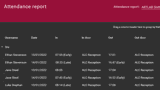
Access Control systems by their very nature, hold an incredible amount of information. They not only control what users can do, where they can go, and when they can do it, they also record when these events occur, effectively allowing you to track and monitor staff movements on site. Time and Attendance reports eliminate the need for a separate timekeeping system by using the access data to provide information on the in and out movements of staff, thereby assisting with payroll and HR management for ultimate efficiency.


Automated Reports
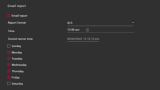
Schedule reports to run automatically on specified days and times. Create reports as a PDF, CSV, TXT, or XLS file and automatically email them to a manager or HR department so they have the reports in their inbox when they get to work.
Summary or Detailed View
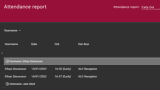
Report templates allow you to select the level of detail to include for each report. Choose from a daily summary for each user or a detailed breakdown for each user each day, including start, break, and end times, and the corresponding in and out calculations for each event.
Powerful Filtering
Flexible reporting options enable you to quickly and easily obtain detailed and relevant event information. The Grid View tool makes generation of custom reports a fast and efficient process with live filtering as you type, ability to create custom complex filters, drag and drop to order, and the option to print, save and email the report directly from the software. All reports can be exported to a wide range of formats including PDF, HTML, XLS, and CSV.
Customizable Shift and Break Times
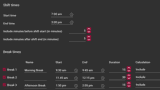
Define your working week by setting the start and end times and break times for each report. Reports can include the same hours every day, or different hours on different days of the week. You can also define how scheduled breaks are treated in the attendance calculation. For example, if a lunch break is unpaid and should be processed as a time deduction. Use the rotational shift reports where operations run 24/7, and shifts rotate after a set period.
Late In/Early Out Policy
While it's only fair for a company to expect that their employees will report to work on time, most companies allow for occasional unforeseen circumstances. Reports include an optional grace period which defines the time (usually a few minutes) before the user will be considered to be late or early and the excess time deducted from the hours reported. This eliminates small fractions of time and alleviates the rush to badge in or out right on the hour.
Highlight Timekeeping Concerns
Employees that arrive late, leave early, or take extended unauthorized breaks, cost a business in time and productivity. Just ten minutes every day, adds up to more than a week of lost time over the course of a year. Attendance Reports allow you to easily track and monitor these events, making it simple to address timekeeping issues before they become a problem.
Range of Reporting Options
The large choice of report types means there is an option to cover every need - whether it's calculating hours worked, monitoring employees that are late to start or early to finish, tracking absenteeism, or recording overtime, there's a report to suit. Reports may be produced for the entire company or filtered by department, access level, or specific users.
Frequently Asked Questions
What is the Time and Attendance feature?
Time and Attendance is a Protege GX feature that uses access control event data to track and monitor staff movements on site. It eliminates the need for a separate timekeeping system by using the same in-and-out badge events that the access control system already records, producing reports that support payroll and HR management.
How does Time and Attendance work?
The access control system already records every badge event, so when a user enters or leaves the building, that event becomes part of their attendance record. Time and Attendance reports interpret these events as in-and-out movements and calculate worked hours, with configurable handling for breaks, late arrivals, and early departures.
What kind of reports does Time and Attendance produce?
Reports can be summary (a daily total per user) or detailed (start, break, and end times with full in-and-out calculations). They can be scheduled to run automatically on specified days, exported as PDF, CSV, TXT, or XLS, and emailed directly to a manager or HR department.
Filtering is flexible: produce reports for the entire company or filter by department, access level, or specific users.
Can shift times and breaks be customized?
Yes. You can define the start, end, and break times for each report, with different hours allowed for different days of the week. Scheduled breaks can be configured as paid or unpaid for the attendance calculation (for example, an unpaid lunch break processed as a time deduction). Rotational shift reports are available for 24/7 operations where shifts rotate after a set period.
A grace period can be set so users have a small window (typically a few minutes) before being marked as late or early, removing the rush to badge in or out exactly on the hour.
Which ICT products support Time and Attendance?
Time and Attendance is a Protege GX feature that reuses the existing access control event log. Any Protege GX deployment with door readers configured for the relevant building entrances can produce attendance reports without additional hardware.